
Cloud computing is a technology that allows people and businesses to use computing resources over the internet instead of relying on their own computers or local servers. These resources can include data storage, software applications, processing power, and more. With cloud computing, users can access their data and apps from anywhere, at any time, using any device with an internet connection. what is cloud computing
Cloud computing has become a fundamental part of modern technology. It powers many services we use every day, such as Google Drive for file storage, Netflix for streaming movies, Zoom for video meetings, and Gmail for email. By storing data and running applications in the cloud, businesses and individuals can save money on hardware, simplify IT management, and scale their resources quickly to meet demand.
In simple terms, cloud computing moves your digital work and storage from your local computer to secure, remote servers called “the cloud.” This makes technology more flexible, efficient, and accessible for everyone.
Cloud computing is not just about storing files online—it also enables powerful software, collaboration tools, and large-scale business operations to run efficiently without the need for expensive physical infrastructure. Understanding cloud computing is essential for anyone who wants to use technology effectively in today’s digital world.
How Cloud Computing Works
Cloud computing works by delivering computing resources—like data storage, software, and processing power—over the internet from remote servers instead of relying on your local computer or on-premises servers. These remote servers, often called the cloud, handle all the heavy work while you access them through the internet.
When you use a cloud service, your data and applications are stored on these servers, which are maintained and managed by cloud providers. For example, when you save a file to Google Drive or stream a movie on Netflix, your computer or device sends requests to the cloud servers, which process the data and send it back to you in real time.
Steps of How Cloud Computing Works
- User Request – You request a service, like uploading a file, running software, or accessing an app.
- Cloud Provider Processing – The cloud servers process your request, allocate resources, and execute the task.
- Data Storage and Retrieval – Your data is stored securely in the cloud and can be retrieved anytime.
- Delivery to User – The cloud sends the processed data back to your device over the internet.
Cloud computing relies on virtualization, networking, and storage systems to manage resources efficiently. By pooling resources from multiple servers, cloud providers can serve thousands of users simultaneously, scaling up or down depending on demand.
In simple terms, cloud computing works like renting a powerful computer over the internet. You don’t need to buy or maintain expensive hardware; you just use the cloud resources whenever you need them. This makes technology more flexible, cost-effective, and accessible for both individuals and businesses.
you may also like to read these posts;
What is Machine Learning: Types, Applications & Benefits Explained
How 5G Technology Works: Speed, Features & Benefits Explained
How Blockchain Works: Simple and Clear Guide
What is Artificial Intelligence: A Simple Beginner’s Guide
Electronics Buying Tips: How to Choose the Best Devices
Key Features of Cloud Computing
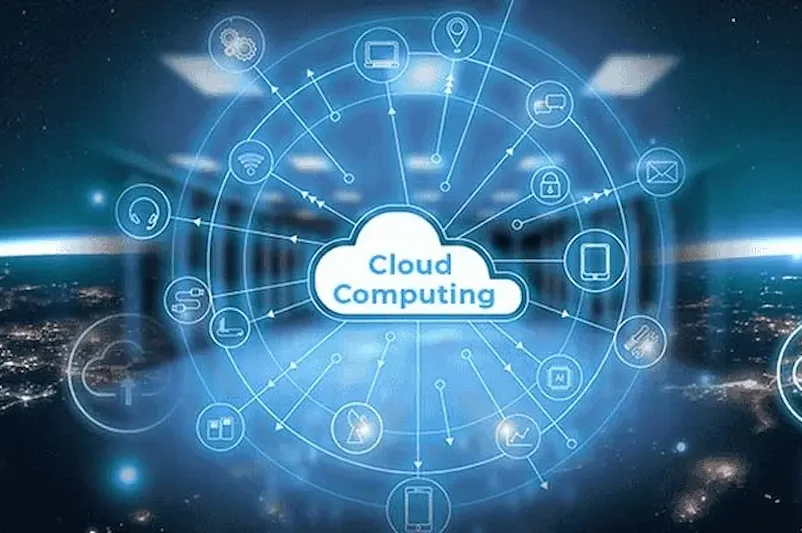
Cloud computing has several key features that make it different from traditional computing systems and highly valuable for businesses, organizations, and individuals. These features provide flexibility, efficiency, and convenience while reducing costs and simplifying IT management.
On-Demand Self-Service
Cloud computing allows users to access computing resources whenever they need them without requiring human intervention from the service provider. For example, you can quickly launch a virtual server, store files, or run applications without waiting for manual setup. This makes cloud computing very convenient and fast.
Broad Network Access
Cloud services are accessible over the internet, meaning you can use them from anywhere, anytime, using devices like computers, smartphones, or tablets. This broad network access enables remote work, online collaboration, and access to applications and data across the globe.
Resource Pooling
Cloud providers use a shared pool of resources—such as storage, memory, and processing power—to serve multiple users at the same time. Resources are dynamically allocated based on demand, which ensures optimal usage and cost efficiency. Users don’t need to buy or maintain their own hardware for every task.
Rapid Elasticity
Cloud computing can scale resources up or down quickly based on demand. For instance, if a website suddenly experiences high traffic, cloud servers can automatically allocate more resources to prevent slowdowns or crashes. Similarly, resources can be reduced during low-demand periods, saving costs.
Measured Service (Pay-as-You-Go)
Cloud services track and measure how much resources each user consumes and charge only for what they use. This “pay-as-you-go” model eliminates unnecessary expenses and makes cloud computing affordable, especially for small businesses and startups.
Automation and Maintenance
Cloud platforms automatically handle software updates, security patches, and system maintenance. This reduces the burden on users and IT teams, allowing them to focus on their core work instead of managing infrastructure.
Enhanced Security
Many cloud providers offer strong security measures such as encryption, access controls, and multi-factor authentication. These security features help protect sensitive data and reduce the risk of cyberattacks.
Flexibility and Collaboration
Cloud computing enables teams to work together from different locations. Multiple users can access and edit the same documents, run applications, or analyze data in real time. This improves collaboration and productivity across businesses and organizations.
Cost Efficiency
By using shared resources and paying only for what you consume, cloud computing reduces the need to invest in expensive hardware, software, and maintenance. It allows organizations to allocate IT budgets more efficiently. what is cloud computing
These features combined make cloud computing a powerful technology for modern businesses, education, healthcare, and even personal use. It allows users to focus on their work, access data from anywhere, and scale resources according to their needs without worrying about infrastructure. what is cloud computing
Types of Cloud Computing

Cloud computing is not one-size-fits-all. There are different types of cloud setups, each designed to meet specific business or individual needs. Understanding these types helps you choose the right solution for security, cost, and performance. what is cloud computing
Public Cloud
A public cloud is a cloud environment where computing resources like servers, storage, and applications are shared among multiple users over the internet. These resources are managed and maintained by third-party providers. Users don’t need to worry about hardware, maintenance, or software updates.
Benefits:
- Cost-effective because resources are shared what is cloud computing
- Scalable according to user demand what is cloud computing
- Easy to access from anywhere with an internet connection what is cloud computing
Examples:
- Amazon Web Services (AWS) – Provides servers, storage, databases, and analytics what is cloud computing
- Microsoft Azure – Offers cloud computing services for apps and business solutions what is cloud computing
- Google Cloud Platform (GCP) – Supports app development, data storage, and AI what is cloud computing
Public clouds are ideal for small businesses, startups, or anyone who needs scalable and affordable cloud solutions without managing infrastructure.
Private Cloud
A private cloud is dedicated to a single organization. The infrastructure can be hosted on the company’s own servers or managed by a third-party provider. Private clouds provide greater control, security, and customization compared to public clouds. what is cloud computing
Benefits:
- Enhanced data security and privacy what is cloud computing
- Customizable to meet specific organizational needs what is cloud computing
- Greater control over resources and infrastructure what is cloud computing
Examples:
- Banks storing financial data what is cloud computing
- Hospitals managing patient records what is cloud computing
- Large enterprises handling sensitive internal applications
Private clouds are suitable for organizations with strict security requirements or sensitive data that cannot be stored in a shared environment.
Hybrid Cloud
A hybrid cloud combines both public and private clouds. Organizations can store sensitive information on private clouds while using public clouds for general operations. This combination provides both flexibility and security, allowing businesses to optimize costs while maintaining control over critical data.
Benefits:
- Flexibility to choose where data and applications are stored
- Cost-efficient by using public clouds for non-sensitive operations
- Scalable and reliable
Example:
A company might store customer records on a private cloud for security while running marketing tools and website hosting on a public cloud for scalability.
Multi-Cloud
Some organizations use more than one cloud service from different providers. This is called a multi-cloud strategy. It allows businesses to avoid dependency on a single provider and optimize performance and costs across multiple platforms.
Benefits:
- Avoids vendor lock-in
- Enhances performance and reliability
- Provides more options for scaling resources
Summary of Cloud Types
- Public Cloud: Shared, affordable, easy to access
- Private Cloud: Exclusive, secure, customizable
- Hybrid Cloud: Combination of public and private, flexible and scalable
- Multi-Cloud: Multiple providers, optimized performance and reliability
Understanding the types of cloud computing helps businesses and individuals choose the right setup based on their security, cost, and scalability requirements.
What is cloud computing in simple words?
Cloud computing is storing and accessing data, software, and computing resources over the internet instead of using your local computer or on-site servers.
How does cloud computing work?
Cloud computing works by using remote servers hosted by providers. When you save files, use apps, or run programs, the cloud processes and stores the data, which you can access from anywhere with an internet connection.
Is cloud computing safe?
Yes, most cloud providers use strong security measures like encryption, firewalls, and multi-factor authentication to protect your data.
Conclusion
Cloud computing has transformed the way we store data, run applications, and manage technology. By using the internet to access servers, storage, software, and networking, individuals and businesses can save money, work from anywhere, and scale resources easily.
Whether you’re a student, professional, or business owner, understanding cloud computing is essential in today’s digital world. It is not just for big companies—anyone can benefit from its flexibility, security, and convenience.
Embracing cloud computing opens the door to smarter work, better collaboration, and a future-ready approach to technology.